
Steps:
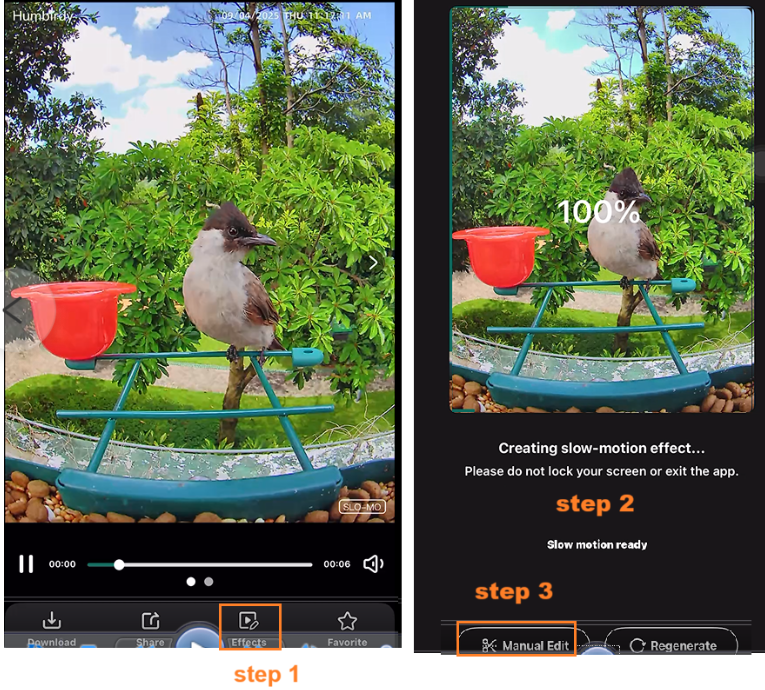
1.Select a SLOW MOTION mode video (but not a 4k mode video), then tap the on-screen text effect.
2.Wait for it to load fully (100%).
3.Tap the on-screen text to manually edit it.
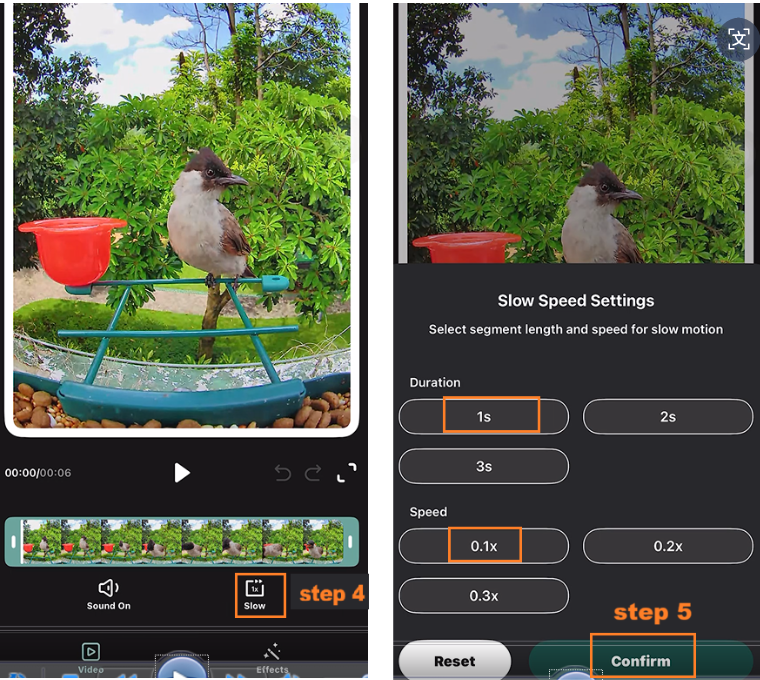
4.Tap the text for slow-motion mode.
5.Choose the duration and speed, then tap Confirm.
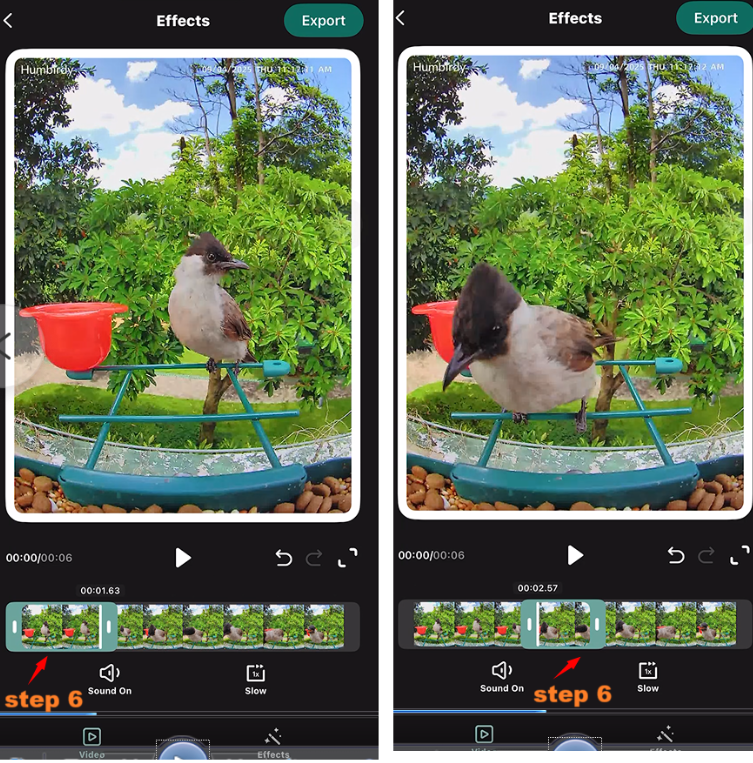
6.Select your video clip (start and end times).
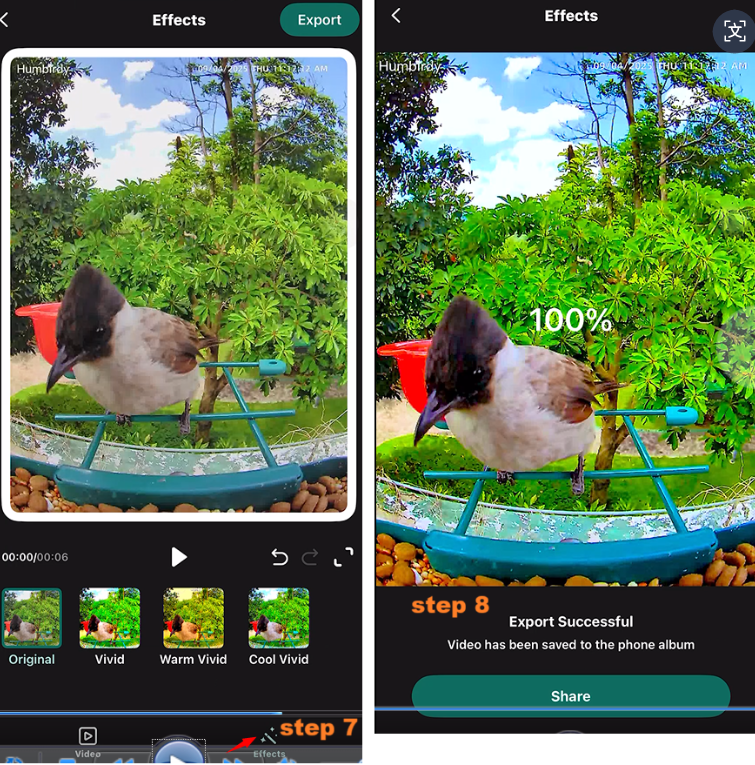
7.Apply your preferred filter.
8.Tap Export > Confirm – the success rate is 100%.
9.Check your phone’s Photos/Gallery to view the new slow-motion video.
How to Edit a Slow-Motion Videos from YouTube:
https://www.youtube.com/shorts/UO0taM-9-PE
-
-
-
Comments
2 comments
I need instructions to clean my BF08
can i remove the camera to clean the main shell
Please sign in to leave a comment.