
Create an Account
Have your family member or friend download the Humbirdy app and create an account using their email address.
Share the Device
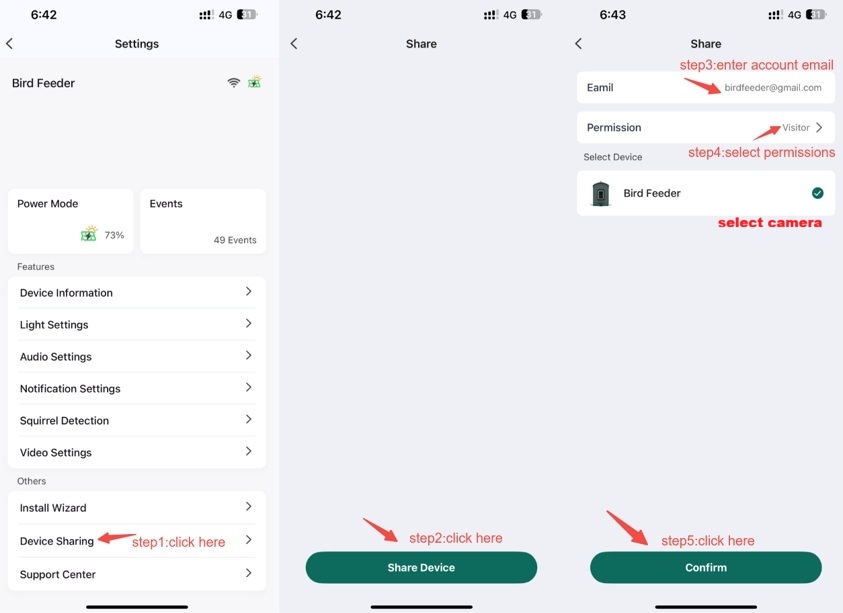
Open the Admin Account in the app. Go to the User page and tap “Share Device”.
Enter the recipient's email and select the appropriate permissions.
▪ Tap “Confirm” to send the invite.
Accept the Invitation
Your family member or friend will receive an invitation in the app.
They simply tap APP “Accept” to complete the sharing process.
Comments
0 comments
Please sign in to leave a comment.