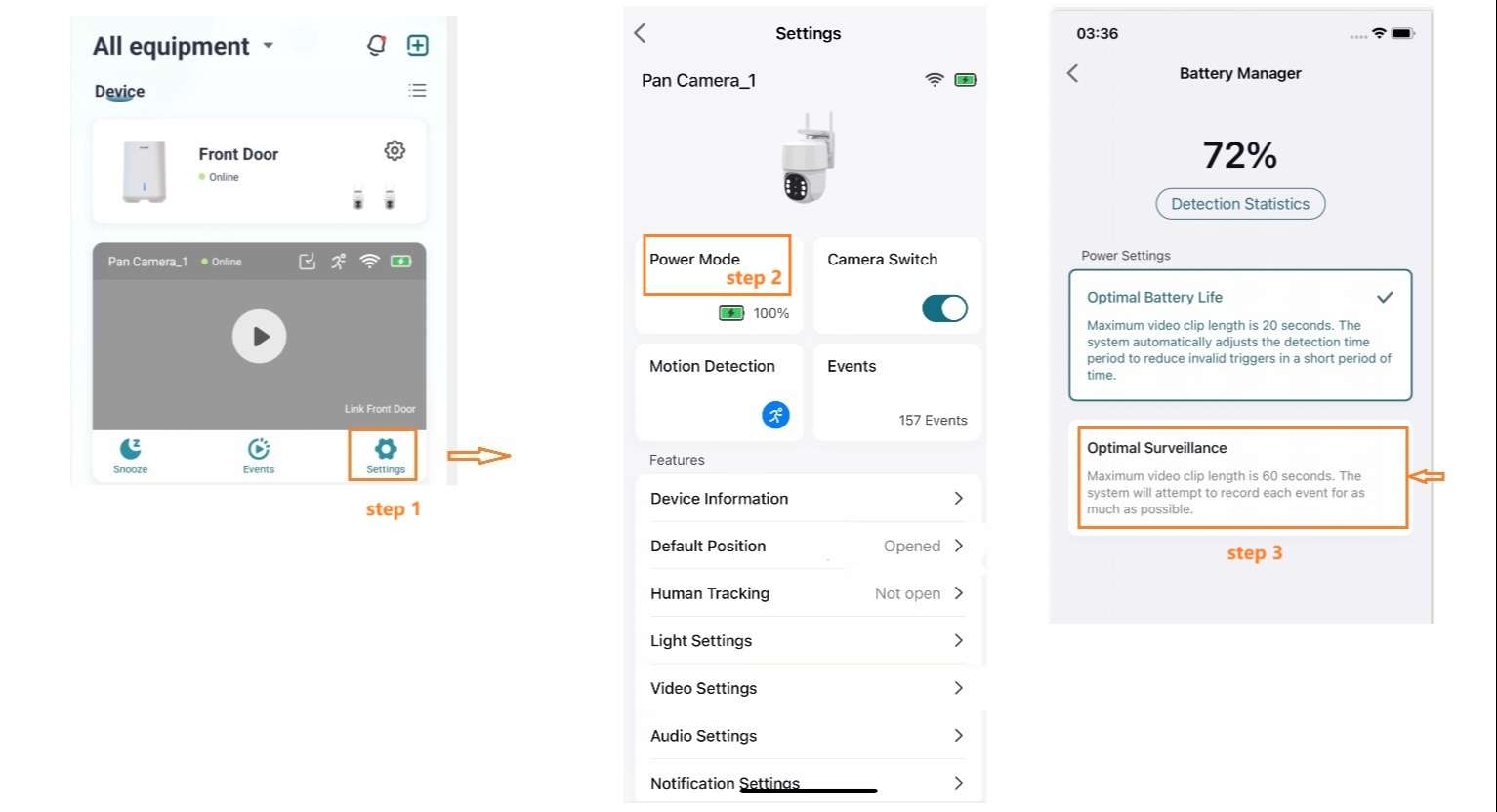
How can I record longer videos than 20s in the Soliom Home APP? SOLIOM Support Center April 14, 2026 06:43 Updated To extend video length: Tap Power Mode in the app and select 60s. Your videos will now record for 60 seconds. Related articles Why isn’t my camera Recording Videos/Following People? How to Get Videos Longer than 20 Seconds in the Humbirdy APP? Soliom Security Camera User Manual Downloads (All Models) How to Pair the Security Wifi Camera with Soliom + App? Product Registration Comments 0 comments Please sign in to leave a comment.

Comments
0 comments
Please sign in to leave a comment.