
Once your SoliomBase is connected:
In the app:
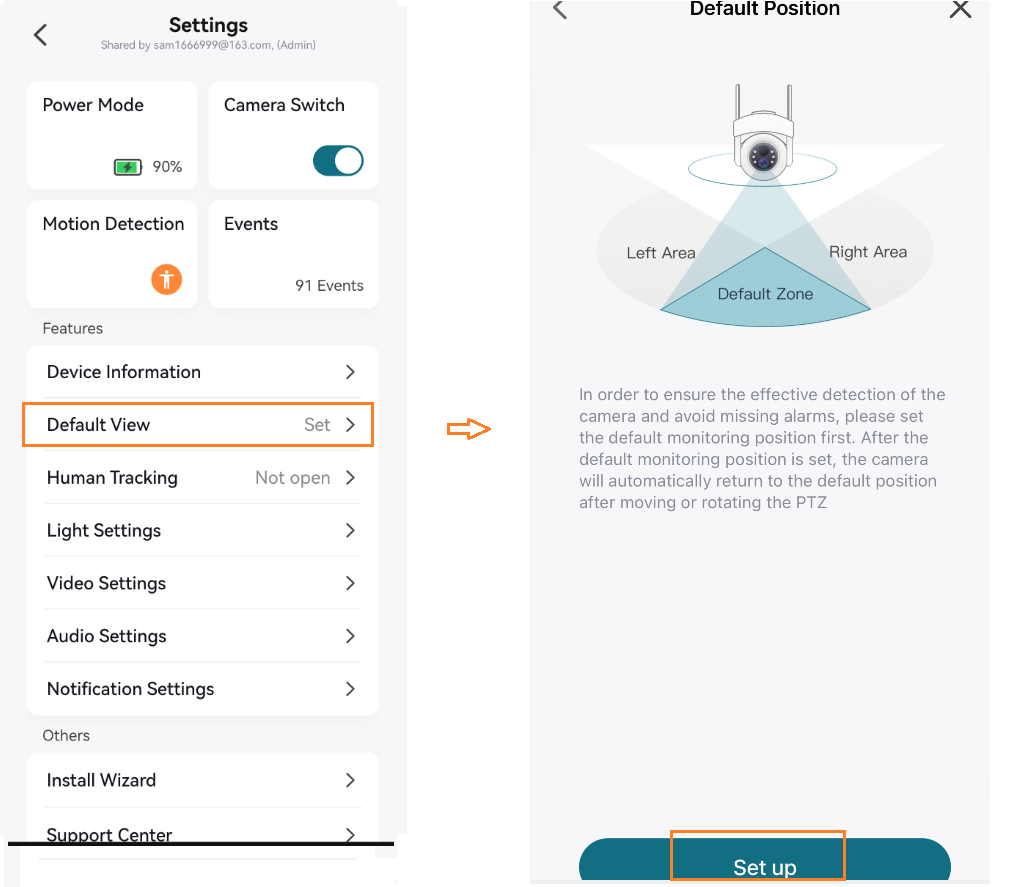
•Set each camera’s Default View (make sure it shows “Set”)
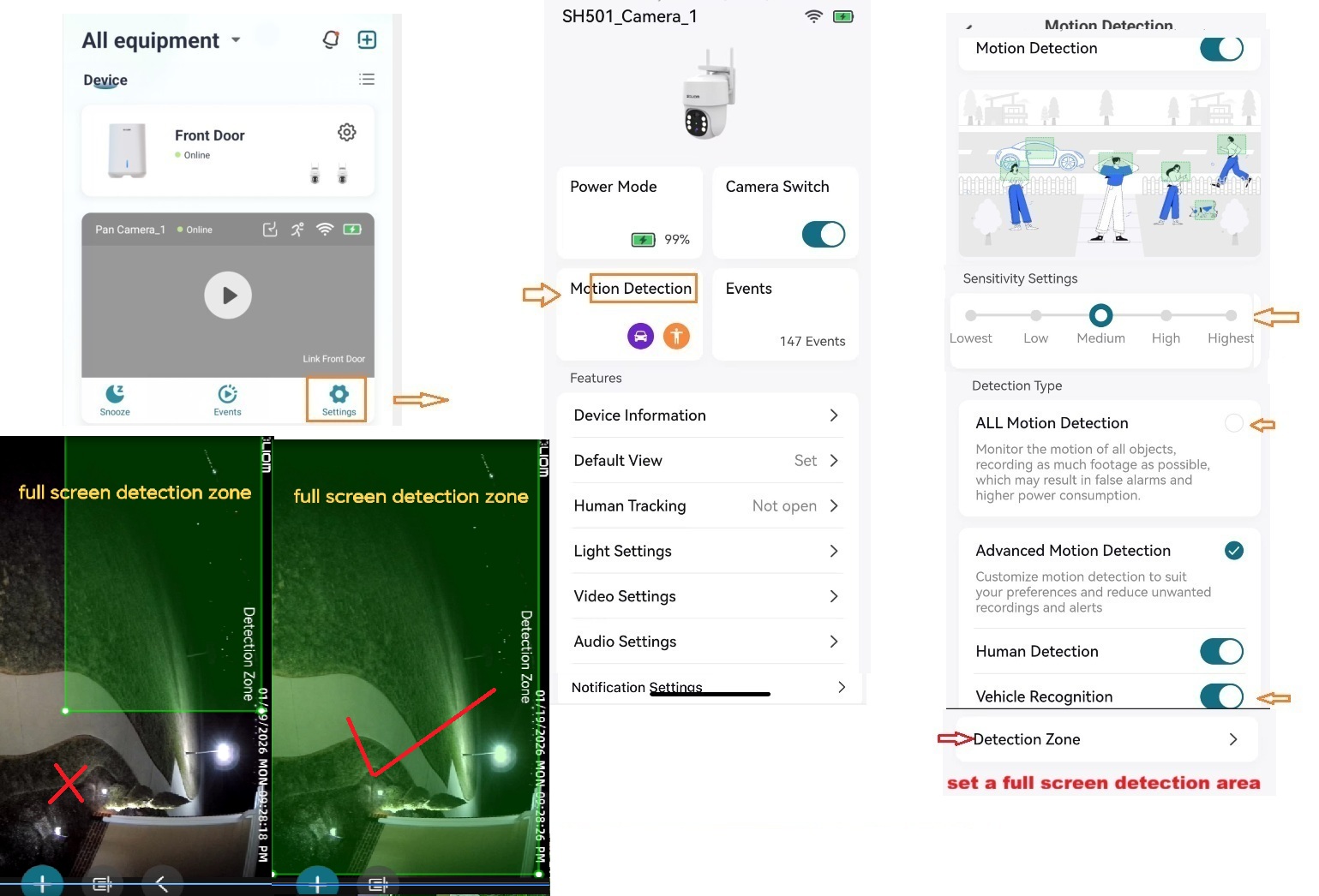
•Go to Motion Detection → Detection Zone → Full Screen
•Tap Calibration for each camera
Tip: Enable all motion detection options for better recording performance.
Comments
0 comments
Please sign in to leave a comment.