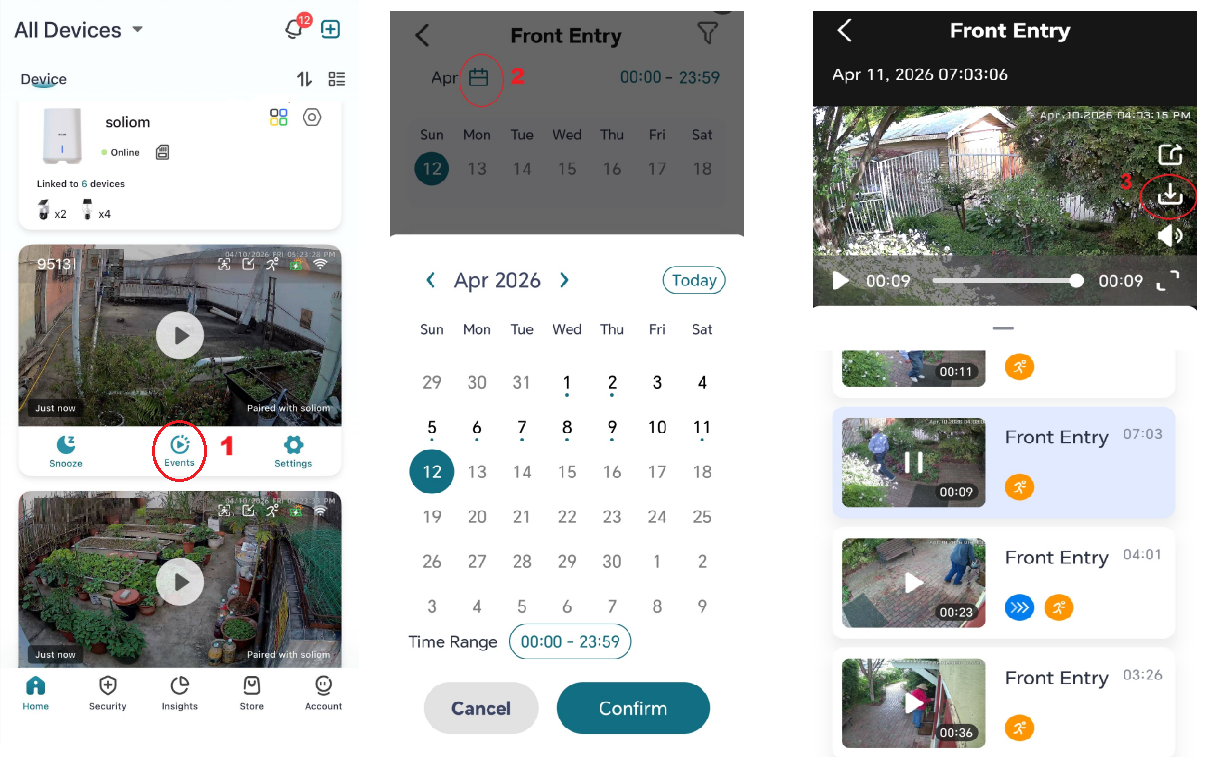
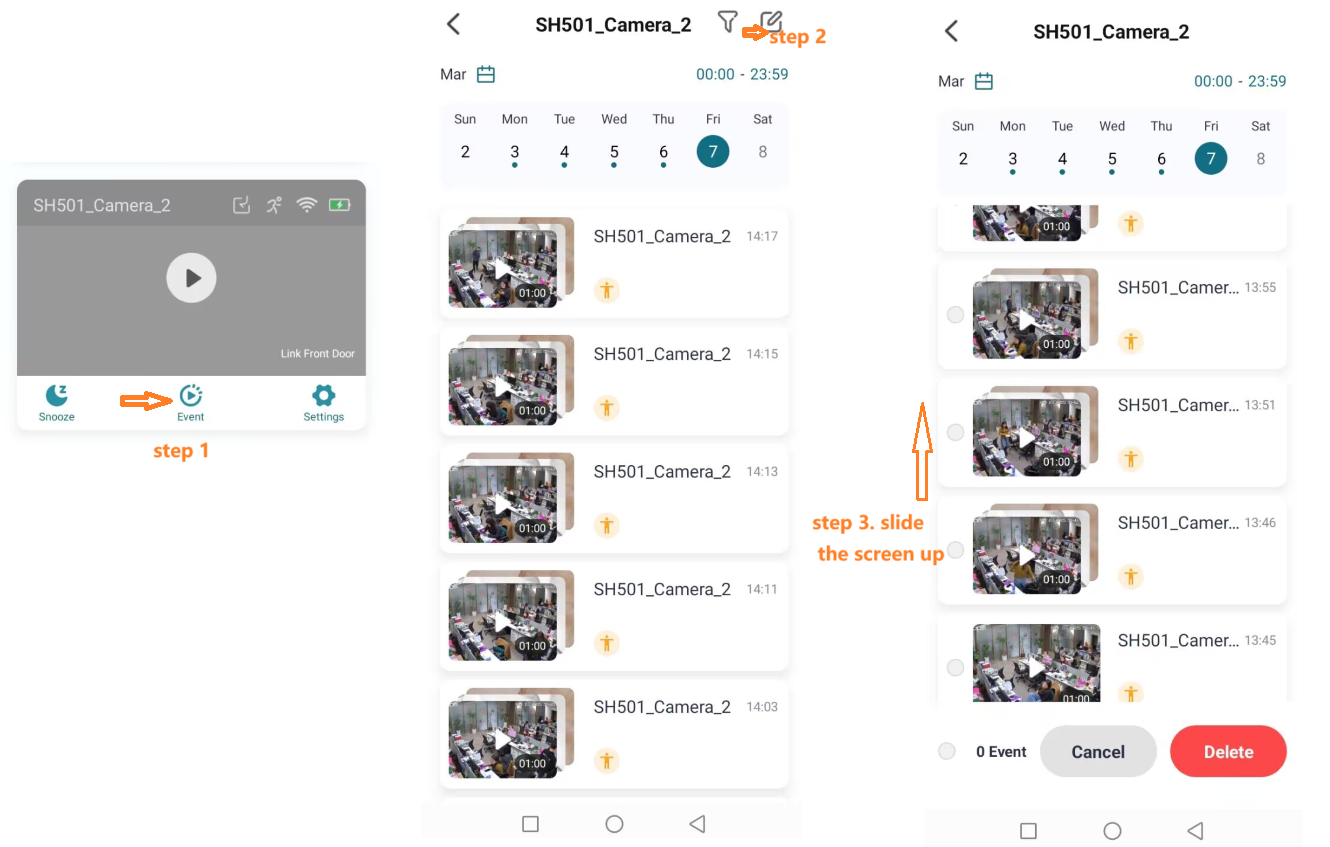
How do I download or delete videos in the Soliom Home APP ? SOLIOM Support Center April 14, 2026 08:37 Updated To download videos:•Go to Events•Select a date using the calendar•Tap the video To delete videos:1.Tap Events2.Tap the edit (pencil) icon3.Select videos4.Tap Delete Related articles How to Set up the SHB501/SH801 Base 5G WIFI Camera with the Soliom Home APP? How much does the 4G Camera Cellular Data Cost Each Month? 4G data price Soliom Security Camera User Manual Downloads (All Models) How to add Humbirdy SH66 SH68 4K 5G WIFI Bird Feeder Camera in the Humbirdy APP? Troubleshooting for Your Soliom Offline Bird Feeder Camera Comments 0 comments Please sign in to leave a comment.

Comments
0 comments
Please sign in to leave a comment.